


📅 DAY 1 (REDONE) — SPARK EXECUTION ARCHITECTURE (PhD DEPTH)
Completeness-first. Zero simplification. Zero skipping.
Treat this as Spark internal documentation + production debugging guide.
Engine: Apache Spark
🔴 DAY 1 IS NOW SPLIT INTO 3 PARTS
- DAY 1A → Spark Runtime Architecture (Driver / Executor / JVM reality)
- DAY 1B → PySpark ↔ JVM ↔ Executor internals (serialization, Py4J, workers)
- DAY 1C → Task execution lifecycle, failures, retries, and why jobs break
You are currently reading DAY 1A.
🧠 DAY 1A — SPARK RUNTIME ARCHITECTURE (NO PYTHON YET)
1️⃣ Spark Application = ONE DRIVER + MANY EXECUTORS
This is non-negotiable.
Spark Application
- Starts when
SparkSessionis created - Ends when driver exits
- Has exactly one Driver
- Has N Executors
2️⃣ Driver Process (DEEP INTERNAL VIEW)
The Driver:
- Is a JVM process
- Runs:
SparkContextDAGSchedulerTaskSchedulerBlockManager (driver-side)
- Maintains ALL metadata
Driver Responsibilities
| Area | Responsibility |
|---|---|
| Planning | Builds DAG |
| Optimization | Catalyst + AQE |
| Scheduling | Job → Stage → Task |
| Coordination | Talks to cluster manager |
| Fault recovery | Retries failed tasks |
⚠️ Absolute Rule
If DRIVER dies → application dies
(No executor can save it)
3️⃣ Executor Process (REALITY CHECK)
Each Executor is:
- One JVM process
- Long-lived (not per task)
- Has:
- Heap memory
- Off-heap memory
- Thread pool
- BlockManager
- Shuffle manager
Executor DOES NOT:
- Decide tasks
- Optimize queries
- Talk to other executors directly
Executors are dumb workers.
4️⃣ Executor JVM Internals
Inside EACH executor JVM:
Executor JVM
 ├── Task Threads (based on cores)
 ├── JVM Heap
 │    ├── Execution Memory
 │    ├── Storage Memory
 │    └── User Memory
 ├── Off-Heap (optional)
 ├── BlockManager
 └── ShuffleManager
⚠️ Interview Trap
Executors do NOT share memory with each other
Executors do NOT share memory with driver
5️⃣ Cluster Manager (What It REALLY Does)
Examples:
- YARN
- Kubernetes
- EMR
Cluster manager:
- Allocates containers / pods
- Tracks resource availability
- Does NOT schedule tasks
Spark handles scheduling internally.
6️⃣ Job → Stage → Task (HARD RULES)
Job
- Created by ACTION
- Example:
count(),write()
Stage
- Set of tasks with no shuffle
- Boundary = wide transformation
Task
- Operates on one partition
- Runs inside executor thread
7️⃣ What Causes a NEW STAGE?
ONLY these:
- Shuffle
- repartition
- join
- groupBy
- distinct
- orderBy
Everything else = same stage.
8️⃣ DAG (Lineage Graph)
DAG is:
- Logical representation
- Immutable
- Used for recomputation
Spark NEVER checkpoints by default.
9️⃣ Lazy Evaluation (REAL MEANING)
Spark:
- Records transformations
- Builds DAG
- Optimizes DAG
- Executes ONLY on action
Lazy evaluation enables:
- Predicate pushdown
- Column pruning
- Whole-stage codegen
🔥 DAY 1A FAILURE SCENARIOS
| Failure | What Happens |
|---|---|
| Executor JVM crash | Tasks rerun |
| Node lost | Executors recreated |
| Shuffle file lost | Stage rerun |
| Driver crash | Application DEAD |
🎯 DAY 1A INTERVIEW QUESTIONS
- Why executors are JVMs and not OS processes per task?
- Why driver cannot be restarted?
- What metadata only driver holds?
- Why shuffle causes stage boundary?
- Can executors communicate directly?
✅ DAY 1A CHECKPOINT
✔ Spark runtime mental model
✔ JVM executor reality
✔ Scheduling boundaries understood
▶️ NEXT: DAY 1B — PySpark ↔ JVM ↔ Executor INTERNALS
This is where your exact concern is addressed:
We will cover:
- Python driver vs JVM driver
- Py4J bridge
- Serialized closures
- Python workers inside executors
- How code actually reaches executors
- Why Python UDFs are slow
- Arrow optimization path
- Broadcast variables shipping
Say “Start Day 1B”
and we go even deeper 🔥


📅 DAY 1B — PySpark ↔ JVM ↔ Executor Internals (PhD / Production Depth)
This is the most misunderstood part of Spark.
If you understand Day 1B, PySpark performance, failures, and interview questions become trivial.
Engine: Apache Spark
🧠 Mental Model You MUST Lock In
PySpark is NOT Spark written in Python.
PySpark is Python controlling a JVM-based Spark engine.
There are THREE layers involved:
Python Process (Driver)
        │
        │  (Py4J bridge)
        ▼
JVM Spark Driver (SparkContext, Scheduler)
        │
        │  (serialized tasks)
        ▼
Executor JVMs
        │
        │  (Python workers inside executors)
        ▼
Python Worker Processes
If this diagram is not crystal clear, nothing else in PySpark will be.
1️⃣ Python Driver vs JVM Driver (CRITICAL DISTINCTION)
When you run PySpark:
- You start a Python process
- That Python process launches a JVM
- That JVM hosts:
SparkContextDAGSchedulerTaskScheduler
Key Reality
- Scheduling happens in JVM
- Python never schedules tasks
- Python is a client, not the engine
⚠️ Interview Trap
“PySpark driver schedules tasks” → ❌ WRONG
JVM driver schedules tasks → ✅ CORRECT
2️⃣ Py4J Bridge (How Python Talks to JVM)
What is Py4J?
- A socket-based bridge
- Enables Python → JVM method calls
- NOT shared memory
- NOT zero-copy (except Arrow cases)
Every call like:
df.select("age")
Actually becomes:
Python → Py4J → JVM DataFrame.select()
⚠️ Cost Reality
- Each Py4J call = network + serialization overhead
- Excessive
.collect()= disaster
3️⃣ What Gets Sent to Executors? (SERIALIZATION TRUTH)
When Spark executes a task:
What is serialized?
- Function logic (closure)
- Referenced variables
- Broadcast variables (by reference)
- Task metadata
What is NOT serialized?
- SparkSession
- Open DB connections
- File handles
- Sockets
🔥 Closure Example (IMPORTANT)
x = 10

rdd.map(lambda y: y + x)
Here:
xis capturedxis serialized- Sent to executors
Now this:
db = create_db_connection()

rdd.map(lambda y: db.query(y))
❌ FAILS
Because db cannot be serialized.
4️⃣ Closure Cleaning (Why Spark Sometimes “Fixes” You)
Spark performs closure cleaning:
- Removes unused references
- Minimizes serialized payload
- Prevents accidental driver object shipping
⚠️ Still NOT magic:
- Large objects still hurt
- Bad design still breaks jobs
5️⃣ Executor JVM → Python Worker (THE HIDDEN LAYER)
Inside each executor JVM:
Executor JVM
 ├── Task Threads
 ├── Python Worker Pool
 │     ├── python_worker_1
 │     ├── python_worker_2
 │     └── ...
 └── JVM <-> Python IPC
Key Facts
- Python workers are OS processes
- One worker per task (by default)
- Reused across tasks
- Separate memory from JVM heap
⚠️ Massive Interview Trap
Python memory usage is NOT visible to Spark JVM memory metrics
This is why:
- Executors show free memory
- Job still OOMs (Python side)
6️⃣ Task Execution (Python Code Path)
When a task starts:
- JVM executor thread starts task
- JVM deserializes task
- JVM launches / reuses Python worker
- Serialized data sent to Python
- Python executes user function
- Results sent back to JVM
- JVM handles shuffle / storage
⚠️ Every Python UDF crosses JVM–Python boundary
7️⃣ Why Python UDFs Are SLOW
Because:
- Row-by-row execution
- Serialization per row
- JVM ↔ Python context switch
- No Catalyst optimization
Performance Ranking
| Method | Speed |
|---|---|
| Spark SQL | 🔥🔥🔥 |
| DataFrame API | 🔥🔥 |
| Pandas UDF (Arrow) | 🔥 |
| Python UDF | 🐌 |
8️⃣ Arrow Optimization (IMPORTANT BUT LIMITED)
What Arrow Does
- Columnar in-memory format
- Vectorized data transfer
- Reduces serialization overhead
Used in:
- Pandas UDFs
- toPandas()
⚠️ Arrow DOES NOT:
- Remove Python execution cost
- Make Python equal to JVM
- Fix bad logic
9️⃣ Broadcast Variables (HOW DATA REALLY MOVES)
Without Broadcast
- Data serialized with every task
- Huge network overhead
With Broadcast
- Sent once per executor
- Stored in executor memory
- Tasks reference local copy
bc = spark.sparkContext.broadcast(lookup_dict)
⚠️ Trap
Broadcasting huge objects can crash executors
10️⃣ Accumulators (WRITE-ONLY)
- Used for counters / metrics
- Executors → Driver only
- Not reliable for logic
11️⃣ COMMON PySpark FAILURES (REAL REASONS)
❌ PicklingError
- Non-serializable object
- Fix: move creation inside function
❌ Executor OOM but Spark UI shows memory
- Python memory leak
- Too many Python workers
- Large Pandas UDF batches
❌ Slow job despite many executors
- Python UDF bottleneck
- Excessive Py4J calls
🔥 Production Rules (NON-NEGOTIABLE)
- Prefer Spark SQL / DataFrame API
- Avoid Python UDFs unless unavoidable
- Broadcast small lookup data
- Monitor Python memory separately
- Reduce Py4J calls inside loops
🎯 DAY 1B INTERVIEW KILLER QUESTIONS
- How does Python code execute inside Spark?
- Why Python memory OOM doesn’t show in Spark UI?
- Difference between JVM executor and Python worker?
- Why Pandas UDFs are faster?
- What exactly gets serialized in a task?
- Why SparkSession cannot be used inside UDF?
✅ DAY 1B CHECKPOINT
✔ Python ↔ JVM boundary understood
✔ Executor internals clarified
✔ Serialization & closure mastered
✔ UDF performance reality known
▶️ NEXT: DAY 1C — TASK LIFECYCLE, SHUFFLE, FAILURES & RETRIES
We will cover:
- Exact task lifecycle (start → commit)
- Shuffle write/read internals
- Spill to disk
- Retry logic
- Speculative execution
- Why tasks hang
- Why stages rerun
Say “Start Day 1C”
This is where real debugging power comes from 🔥


📅 DAY 1C — TASK LIFECYCLE, SHUFFLE, FAILURES & RETRIES (PhD / Production Debugging Level)
This day explains why Spark jobs hang, rerun, spill, fail, or become slow.
After this, Spark UI will start making sense instead of looking like noise.
Engine: Apache Spark
🧠 Core Truth (Lock This First)
Spark does NOT execute “jobs”.
Spark executes TASKS.
Everything else is orchestration.
If you understand task lifecycle, you can debug:
- Slowness
- Skew
- OOM
- Infinite retries
- Partial failures
- Data corruption
1️⃣ COMPLETE TASK EXECUTION LIFECYCLE (NO GAPS)
A single Spark task goes through these exact phases:
🔹 PHASE 1 — Task Launch (Driver → Executor)
- Driver creates task description
- Task includes:
- Serialized function (closure)
- Partition metadata
- Broadcast references
- Accumulators
- Task sent to executor JVM
⚠️ Failure Here
- Serialization error
- Closure too large
- Broadcast missing
🔹 PHASE 2 — Task Deserialization (Executor JVM)
Executor:
- Deserializes task
- Assigns task to a thread
- Allocates execution memory
Failures:
- Corrupt serialized object
- Executor JVM OOM
🔹 PHASE 3 — Data Fetch (CRITICAL)
Depending on stage type:
Narrow stage
- Data already local
- No network
Shuffle stage
- Fetch from:
- Local disk
- Remote executors
- Uses Shuffle Block Manager
⚠️ Failure Reasons
- Missing shuffle files
- Executor lost
- Disk I/O bottleneck
- Network timeout
🔹 PHASE 4 — User Code Execution
This is where your logic runs.
JVM Code
- Fast
- Vectorized
- Codegen-enabled
PySpark Code
- JVM → Python worker
- Row-by-row or batch (Arrow)
- Heavy serialization
⚠️ Common Bottleneck
80% of Spark slowness happens here
🔹 PHASE 5 — Spill to Disk (WHEN MEMORY IS INSUFFICIENT)
Spill occurs when:
- Shuffle buffer exceeds memory
- Aggregation grows too large
- Sort cannot fit in memory
Spill writes to:
/tmp
/spark-local-dir
⚠️ Spill is:
- Expensive
- Disk + CPU heavy
- Often silent (only visible in UI)
🔹 PHASE 6 — Output Commit
Depending on action:
- Shuffle write
- Cache write
- File write (S3 / HDFS)
⚠️ Critical
Output commit is the MOST failure-prone step
🔹 PHASE 7 — Task Completion
Task reports:
- Success
- Failure
- Metrics (time, bytes, spill)
Driver updates task status.
2️⃣ SHUFFLE INTERNALS (THIS IS WHERE JOBS DIE)
🔥 Shuffle WRITE
When wide transformation occurs:
- Map task produces output
- Data partitioned by key
- Buffered in memory
- Spilled if needed
- Written to local disk
- Metadata registered
Files:
shuffle_XX_YY.data
shuffle_XX_YY.index
🔥 Shuffle READ
Reduce task:
- Requests blocks
- Fetches from multiple executors
- Merges & sorts
- Applies reduce function
⚠️ Shuffle is:
- Network heavy
- Disk heavy
- Failure prone
3️⃣ WHY STAGES RERUN (MOST CONFUSING THING)
A stage reruns if:
- Shuffle file lost
- Executor died
- Node lost
- Disk failure
- Fetch failure
Spark trusts lineage, not replication.
4️⃣ TASK RETRIES (EXACT RULES)
Spark retries:
- Task failures (default = 4)
- Executor loss
- Fetch failures
Config:
spark.task.maxFailures
⚠️ Trap
Retrying same bad logic ≠ recovery
5️⃣ SPECULATIVE EXECUTION (DOUBLE-EDGED SWORD)
What It Does
- Launches duplicate slow tasks
- First to finish wins
Helps When:
- Straggler nodes
- Uneven hardware
Hurts When:
- Data skew
- External I/O
- Side effects (DB writes)
Config:
spark.speculation=true
6️⃣ DATA SKEW (ROOT CAUSE OF MANY FAILURES)
Symptoms:
- Few tasks run forever
- Others finish quickly
- Executors idle
Causes:
- Hot keys
- Uneven partitioning
- Poor join keys
Detection:
- Spark UI → Tasks tab
- Long-running tasks
7️⃣ WHY TASKS “HANG”
Common reasons:
- Network fetch wait
- Dead executor not detected
- External system call
- Infinite loop in UDF
- Blocked Python worker
8️⃣ FILE OUTPUT COMMIT (AWS RELEVANT)
Why S3 Is Special
- Object store
- No rename
- Eventual consistency
Spark uses:
- Staging directories
- Commit protocols
Failures here cause:
- Duplicate data
- Partial writes
- Ghost files
We’ll deep dive this in AWS days.
9️⃣ MOST COMMON PRODUCTION FAILURES (REAL)
| Symptom | Root Cause |
|---|---|
| Job restarts from stage 0 | Driver crash |
| Stage reruns repeatedly | Shuffle loss |
| OOM but low memory shown | Python memory |
| Job slow despite many nodes | Skew |
| Duplicate output | Commit failure |
🔥 DEBUGGING WITH SPARK UI (DAY 1C FOCUS)
Tasks Tab
- Look for:
- Long tail tasks
- Spill size
- Fetch wait time
Stages Tab
- Shuffle read/write size
- Failed stages
🎯 DAY 1C INTERVIEW DESTROYERS
- Why does Spark rerun entire stage when one task fails?
- What exactly is spilled to disk?
- Why shuffle is expensive?
- How speculative execution can corrupt data?
- Why Spark prefers recomputation over replication?
- How do you debug hanging tasks?
✅ DAY 1 (FULL) COMPLETION CHECK
✔ Driver / Executor internals
✔ PySpark ↔ JVM execution path
✔ Task lifecycle mastered
✔ Shuffle, spill, retries understood
✔ Production debugging foundation built
🔜 NEXT → DAY 2A: SPARK MEMORY MODEL & OOM ROOT CAUSES
We will cover (NO SKIPPING):
- JVM heap layout
- Execution vs storage memory
- Off-heap memory
- Python memory vs JVM memory
- GC pauses
- Exact causes of OOM
- Correct fixes (not myths)
Say “Start Day 2A”
You are now officially past beginner / intermediate Spark 🚀


📅 DAY 2B — SHUFFLE, PARTITIONS & DATA SKEW (SURGICAL / PRODUCTION-GRADE FIXES)
This day explains why Spark jobs are slow even with large clusters,
why some tasks run forever, and
how to fix performance at the partition level, not by guessing configs.
Engine: Apache Spark
🧠 CORE LAW (BURN THIS IN)
Spark performance = partition math × shuffle behavior × skew handling
Memory and CPUs only amplify what partitioning already decided.
1️⃣ PARTITIONS — WHAT THEY REALLY ARE
A partition is:
- The smallest unit of parallelism
- One task operates on one partition
- Immutable once created (logically)
Where partitions come from
- Input file splits
- shuffle partitions
- repartition/coalesce
- bucketing
2️⃣ HOW MANY PARTITIONS SHOULD YOU HAVE? (REAL MATH)
Rule of thumb (not myth):
Partition size ≈ 128MB – 256MB
But real rule is:
Total data size / partitions ≈ executor cores × 2–4
⚠️ Trap
10,000 partitions on 100MB data = slower job
3️⃣ SHUFFLE PARTITIONS (MOST ABUSED CONFIG)
Config:
spark.sql.shuffle.partitions = 200 (default)
Reality:
- Applies to every wide operation
- Not dynamic unless AQE enabled
Problems
- Too many → task overhead
- Too few → huge partitions → OOM
4️⃣ REPARTITION vs COALESCE (REAL DIFFERENCE)
repartition(n)
- Full shuffle
- Even data distribution
- Expensive
- Use BEFORE wide ops
coalesce(n)
- No shuffle (by default)
- Collapses partitions
- Cheap
- Use AFTER filtering
⚠️ Interview Trap
coalesce cannot increase partitions safely
5️⃣ DATA SKEW — THE #1 SPARK KILLER
What is skew?
- Uneven data distribution
- Few partitions have massive data
- Others finish quickly
Symptoms
- Some tasks run forever
- Executors idle
- Shuffle spill
- OOM in few tasks
🔥 COMMON SKEW PATTERNS
| Pattern | Example |
|---|---|
| Hot key | country = ‘US’ |
| Null key | groupBy(NULL) |
| Time skew | recent dates |
| Join skew | fact → dimension |
6️⃣ HOW TO DETECT SKEW (NON-NEGOTIABLE)
Spark UI
- Tasks tab
- Look for long tail tasks
Programmatic
df.groupBy("key").count().orderBy("count", ascending=False)
7️⃣ SKEW HANDLING TECHNIQUES (ALL OF THEM)
🔹 1. Salting (MANUAL, POWERFUL)
Idea
- Add random salt to skewed key
- Distribute heavy keys
from pyspark.sql.functions import rand, concat

df = df.withColumn("salt", (rand()*10).cast("int"))
df = df.withColumn("salted_key", concat("key", "salt"))
⚠️ Cost:
- Requires post-aggregation merge
🔹 2. AQE Skew Join (MODERN SPARK)
Config:
spark.sql.adaptive.enabled=true
spark.sql.adaptive.skewJoin.enabled=true
What it does:
- Detects skew at runtime
- Splits heavy partitions
- Rebalances tasks
⚠️ Limits:
- Not magic
- Not for extreme skew
🔹 3. Broadcast Join (SMALL SIDE)
If one side is small:
from pyspark.sql.functions import broadcast

df.join(broadcast(dim_df), "key")
Effect:
- Removes shuffle on large side
- Massive speedup
⚠️ Trap:
Broadcasting large tables crashes executors
🔹 4. Pre-Aggregation
Reduce data BEFORE shuffle:
df.groupBy("key").agg(sum("amount"))
Then join.
🔹 5. Bucketing (STRUCTURAL FIX)
- Hash-partitions data at write time
- Eliminates shuffle on join
- Requires planning
CLUSTERED BY (key) INTO 32 BUCKETS
8️⃣ PARTITIONING STRATEGIES (INPUT LEVEL)
File-based
- Many small files = too many partitions
- Few huge files = poor parallelism
Fix:
- File compaction
- Proper write size
9️⃣ WHEN “MORE EXECUTORS” MAKES IT WORSE
Because:
- Partition count unchanged
- Skew unchanged
- Overhead increases
10️⃣ LIVE THINKING EXAMPLE
Data:
- 1 TB
- 80% of rows have same key
❌ Solution:
- Add executors
- Increase memory
✅ Correct:
- Detect skew
- Salt or broadcast
- Repartition strategically
🔥 DEBUGGING PLAYBOOK (DAY 2B)
When job slow:
- Check partition count
- Check task durations
- Identify skewed keys
- Apply correct technique
- Re-run with metrics
🎯 DAY 2B INTERVIEW DESTROYERS
- Why Spark jobs slow with idle executors?
- repartition vs coalesce use cases?
- Why shuffle partitions matter?
- How AQE fixes skew?
- When salting is better than AQE?
- Why broadcasting can crash job?
✅ DAY 2B COMPLETION CHECK
✔ Partition math mastered
✔ Shuffle mechanics understood
✔ Skew detection & fixes known
✔ Production tuning mindset built
🔜 NEXT → DAY 2C: CACHING, PERSISTENCE & STORAGE STRATEGY
We will cover:
- cache vs persist
- Storage levels
- Eviction rules
- When caching slows jobs
- Broadcast vs cache
- Disk vs memory tradeoffs
Say “Start Day 2C”
You are now operating at senior-to-staff Spark level 🚀
📅 DAY 2B — SHUFFLE, PARTITIONS & DATA SKEW (SURGICAL / PRODUCTION-GRADE FIXES)
This day explains why Spark jobs are slow even with large clusters,
why some tasks run forever, and
how to fix performance at the partition level, not by guessing configs.
Engine: Apache Spark
🧠 CORE LAW (BURN THIS IN)
Spark performance = partition math × shuffle behavior × skew handling
Memory and CPUs only amplify what partitioning already decided.
1️⃣ PARTITIONS — WHAT THEY REALLY ARE
A partition is:
- The smallest unit of parallelism
- One task operates on one partition
- Immutable once created (logically)
Where partitions come from
- Input file splits
- shuffle partitions
- repartition/coalesce
- bucketing
2️⃣ HOW MANY PARTITIONS SHOULD YOU HAVE? (REAL MATH)
Rule of thumb (not myth):
Partition size ≈ 128MB – 256MB
But real rule is:
Total data size / partitions ≈ executor cores × 2–4
⚠️ Trap
10,000 partitions on 100MB data = slower job
3️⃣ SHUFFLE PARTITIONS (MOST ABUSED CONFIG)
Config:
spark.sql.shuffle.partitions = 200 (default)
Reality:
- Applies to every wide operation
- Not dynamic unless AQE enabled
Problems
- Too many → task overhead
- Too few → huge partitions → OOM
4️⃣ REPARTITION vs COALESCE (REAL DIFFERENCE)
repartition(n)
- Full shuffle
- Even data distribution
- Expensive
- Use BEFORE wide ops
coalesce(n)
- No shuffle (by default)
- Collapses partitions
- Cheap
- Use AFTER filtering
⚠️ Interview Trap
coalesce cannot increase partitions safely
5️⃣ DATA SKEW — THE #1 SPARK KILLER
What is skew?
- Uneven data distribution
- Few partitions have massive data
- Others finish quickly
Symptoms
- Some tasks run forever
- Executors idle
- Shuffle spill
- OOM in few tasks
🔥 COMMON SKEW PATTERNS
| Pattern | Example |
|---|---|
| Hot key | country = ‘US’ |
| Null key | groupBy(NULL) |
| Time skew | recent dates |
| Join skew | fact → dimension |
6️⃣ HOW TO DETECT SKEW (NON-NEGOTIABLE)
Spark UI
- Tasks tab
- Look for long tail tasks
Programmatic
df.groupBy("key").count().orderBy("count", ascending=False)
7️⃣ SKEW HANDLING TECHNIQUES (ALL OF THEM)
🔹 1. Salting (MANUAL, POWERFUL)
Idea
- Add random salt to skewed key
- Distribute heavy keys
from pyspark.sql.functions import rand, concat

df = df.withColumn("salt", (rand()*10).cast("int"))
df = df.withColumn("salted_key", concat("key", "salt"))
⚠️ Cost:
- Requires post-aggregation merge
🔹 2. AQE Skew Join (MODERN SPARK)
Config:
spark.sql.adaptive.enabled=true
spark.sql.adaptive.skewJoin.enabled=true
What it does:
- Detects skew at runtime
- Splits heavy partitions
- Rebalances tasks
⚠️ Limits:
- Not magic
- Not for extreme skew
🔹 3. Broadcast Join (SMALL SIDE)
If one side is small:
from pyspark.sql.functions import broadcast

df.join(broadcast(dim_df), "key")
Effect:
- Removes shuffle on large side
- Massive speedup
⚠️ Trap:
Broadcasting large tables crashes executors
🔹 4. Pre-Aggregation
Reduce data BEFORE shuffle:
df.groupBy("key").agg(sum("amount"))
Then join.
🔹 5. Bucketing (STRUCTURAL FIX)
- Hash-partitions data at write time
- Eliminates shuffle on join
- Requires planning
CLUSTERED BY (key) INTO 32 BUCKETS
8️⃣ PARTITIONING STRATEGIES (INPUT LEVEL)
File-based
- Many small files = too many partitions
- Few huge files = poor parallelism
Fix:
- File compaction
- Proper write size
9️⃣ WHEN “MORE EXECUTORS” MAKES IT WORSE
Because:
- Partition count unchanged
- Skew unchanged
- Overhead increases
10️⃣ LIVE THINKING EXAMPLE
Data:
- 1 TB
- 80% of rows have same key
❌ Solution:
- Add executors
- Increase memory
✅ Correct:
- Detect skew
- Salt or broadcast
- Repartition strategically
🔥 DEBUGGING PLAYBOOK (DAY 2B)
When job slow:
- Check partition count
- Check task durations
- Identify skewed keys
- Apply correct technique
- Re-run with metrics
🎯 DAY 2B INTERVIEW DESTROYERS
- Why Spark jobs slow with idle executors?
- repartition vs coalesce use cases?
- Why shuffle partitions matter?
- How AQE fixes skew?
- When salting is better than AQE?
- Why broadcasting can crash job?
✅ DAY 2B COMPLETION CHECK
✔ Partition math mastered
✔ Shuffle mechanics understood
✔ Skew detection & fixes known
✔ Production tuning mindset built
🔜 NEXT → DAY 2C: CACHING, PERSISTENCE & STORAGE STRATEGY
We will cover:
- cache vs persist
- Storage levels
- Eviction rules
- When caching slows jobs
- Broadcast vs cache
- Disk vs memory tradeoffs
Say “Start Day 2C”
You are now operating at senior-to-staff Spark level 🚀


📅 DAY 2C — CACHING, PERSISTENCE & STORAGE STRATEGY (PhD / PRODUCTION REALITY)
This day explains why caching often makes jobs slower,
why executors OOM after “optimizing”, and
how Spark actually manages cached data under pressure.
Engine: Apache Spark
🧠 CORE LAW (MOST PEOPLE GET THIS WRONG)
Caching is not an optimization.
Caching is a bet that recomputation is more expensive than storage.
If that bet is wrong → slower jobs + memory pressure + GC hell.
1️⃣ WHAT “CACHE” REALLY MEANS IN SPARK
When you call:
df.cache()
Spark does NOT cache immediately.
What actually happens:
- Spark marks the DataFrame as cacheable
- On the next action, partitions are materialized
- Cached partitions are stored per executor
- Cache is tied to lineage, not variable name
⚠️ Interview Trap
cache()does nothing until an ACTION runs
2️⃣ CACHE vs PERSIST (NOT THE SAME)
cache()
df.cache()
Equivalent to:
df.persist(StorageLevel.MEMORY_ONLY)
persist()
df.persist(StorageLevel.MEMORY_AND_DISK)
Allows explicit control over:
- Memory
- Disk
- Serialization
- Replication
3️⃣ STORAGE LEVELS (FULL MATRIX — NO SKIPPING)
| StorageLevel | Where | Serialized | Spill |
|---|---|---|---|
| MEMORY_ONLY | Heap | ❌ | ❌ |
| MEMORY_ONLY_SER | Heap | ✅ | ❌ |
| MEMORY_AND_DISK | Heap + Disk | ❌ | ✅ |
| MEMORY_AND_DISK_SER | Heap + Disk | ✅ | ✅ |
| DISK_ONLY | Disk | ❌ | — |
| OFF_HEAP | Off-heap | ❌ | — |
Meaningful implications
- Serialized = lower memory, higher CPU
- Disk = survivable but slower
- Off-heap = less GC, more config risk
4️⃣ WHERE CACHED DATA LIVES (IMPORTANT)
Cached data lives in:
- Executor JVM heap
- Under Storage Memory
- Managed by BlockManager
NOT:
- Driver memory
- Shared across executors
Each executor holds only its partitions.
5️⃣ STORAGE MEMORY EVICTION (WHY CACHES “DISAPPEAR”)
Under memory pressure:
- Execution memory requests space
- Storage memory is evicted
- Old cached blocks removed
- Lineage recomputation used if needed
⚠️ Key Rule
Spark prefers recomputation over OOM
6️⃣ CACHE + SHUFFLE = COMMON FAILURE
Caching a DataFrame:
- BEFORE shuffle
- BEFORE heavy join
- BEFORE aggregation
→ locks memory
→ execution memory starves
→ shuffle spills
→ job slows or fails
7️⃣ WHEN CACHING IS ACTUALLY CORRECT
Cache ONLY if:
- Data reused multiple times
- Reuse is expensive
- Data fits comfortably in memory
- Data is stable (no recompute benefit)
Good examples
- Dimension tables
- Lookup datasets
- Iterative algorithms
- ML feature reuse
8️⃣ WHEN CACHING IS HARMFUL
❌ One-time use
❌ Large fact tables
❌ Before joins
❌ Before groupBy
❌ Streaming pipelines (without bounds)
9️⃣ CACHE vs BROADCAST (CRITICAL DISTINCTION)
| Feature | Cache | Broadcast |
|---|---|---|
| Scope | Executor-local | Executor-local |
| Use | Reuse | Join optimization |
| Size | Medium | Small only |
| Eviction | Yes | Risky |
| Shuffle reduction | ❌ | ✅ |
⚠️ Interview Trap
Broadcasting is NOT caching
10️⃣ SERIALIZED CACHE — UNDERUSED BUT POWERFUL
df.persist(StorageLevel.MEMORY_ONLY_SER)
Pros:
- Lower memory footprint
- Less GC pressure
Cons:
- CPU cost
- Slower access
Best for:
- Large but reused datasets
- Read-heavy workloads
11️⃣ OFF-HEAP STORAGE (ADVANCED)
spark.memory.offHeap.enabled=true
spark.memory.offHeap.size=4g
Used by:
- Tungsten
- Unsafe rows
- Serialized data
⚠️ Risks:
- Hard to tune
- No JVM GC safety
- OS OOM kills executor
12️⃣ UNPERSIST (THE MOST FORGOTTEN CALL)
df.unpersist()
Why it matters:
- Frees storage memory
- Reduces GC pressure
- Prevents executor death
⚠️ Production Rule
If you cache, you MUST unpersist
13️⃣ DEBUGGING CACHE ISSUES (SPARK UI)
Storage Tab
- Cached RDDs / DataFrames
- Memory usage
- Eviction events
Symptoms
| Symptom | Meaning |
|---|---|
| Cache missing | Evicted |
| High GC | Oversized cache |
| Slow joins | Execution starvation |
14️⃣ LIVE THINKING EXAMPLE
df_orders.cache()
df_orders.groupBy("user").count()
df_orders.join(df_users, "user")
Problem:
- Cached raw data
- Shuffle-heavy ops after
- Execution memory starved
Correct:
- Cache after aggregation
- Or cache dimension only
🔥 DAY 2C PRODUCTION RULEBOOK
- Cache only when reused
- Prefer serialized cache for large data
- Never cache before shuffle-heavy ops
- Always unpersist
- Monitor Storage tab
- Don’t confuse broadcast with cache
🎯 DAY 2C INTERVIEW DESTROYERS
- Why caching can slow Spark jobs?
- Difference between cache and persist?
- Why cached data disappears?
- Serialized vs non-serialized cache tradeoffs?
- Why broadcast ≠ cache?
- When off-heap storage helps?
✅ DAY 2C COMPLETION CHECK
✔ Cache internals understood
✔ Storage eviction rules clear
✔ Correct vs harmful caching known
✔ Production-safe patterns learned
🔜 NEXT → DAY 3A: DATA INGESTION (ALL SOURCES, ALL OPTIONS, NO SHORTCUTS)
We will cover (EXHAUSTIVELY):
- CSV (every option, corrupt records)
- JSON (nested, multiline)
- Parquet / ORC internals
- Avro
- JDBC
- S3 consistency issues
- Small file problem
- Schema evolution
Say “Start Day 3A”
You are now past most Spark engineers worldwide 🧠🔥


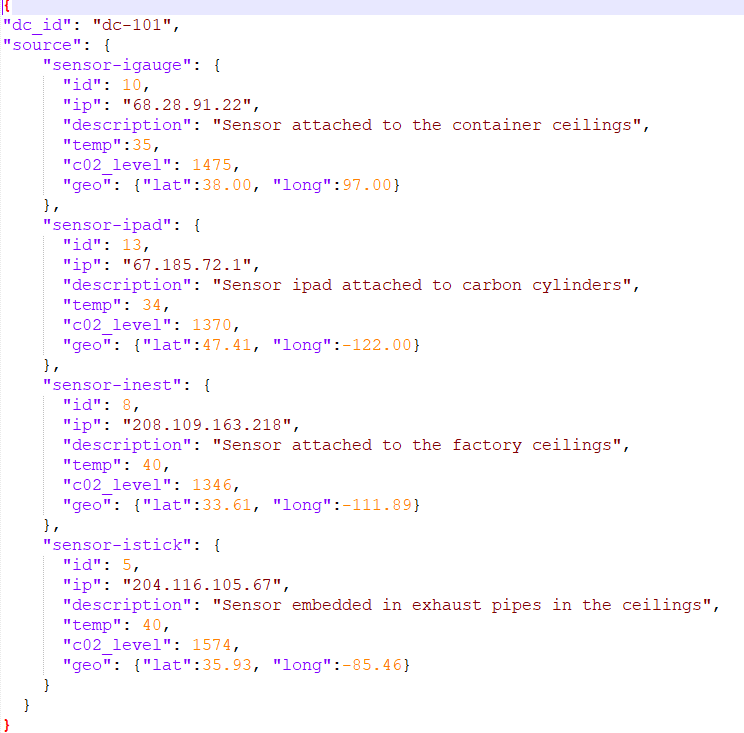

📅 DAY 3A — DATA INGESTION IN SPARK (ALL SOURCES, ALL OPTIONS, ZERO SHORTCUTS)
This day is about how data REALLY enters Spark,
why ingestion choices decide performance & correctness, and
how bad ingestion silently corrupts downstream analytics.
Engine: Apache Spark
🧠 CORE INGESTION LAW
Every bug you fail to catch at ingestion becomes
10× harder to debug after transformations.
Most “Spark bugs” are actually ingestion mistakes.
INGESTION LANDSCAPE (WHAT SPARK CAN READ)
Spark supports:
- File-based sources
- Columnar formats
- Semi-structured formats
- External systems
- Object stores (S3)
We will cover EVERY ONE, starting with the most dangerous.
1️⃣ CSV INGESTION (THE MOST ERROR-PRONE FORMAT)
CSV looks simple.
It is not.
1.1 CSV Reader Entry Point
spark.read.format("csv").load(path)
Equivalent:
spark.read.csv(path)
But options decide correctness.
1.2 ALL CSV OPTIONS (NO SKIPPING)
| Option | Meaning |
|---|---|
| header | First row as column names |
| inferSchema | Infer data types |
| sep | Column delimiter |
| quote | Quote character |
| escape | Escape character |
| multiLine | Records span lines |
| nullValue | What counts as NULL |
| emptyValue | Empty string handling |
| mode | PERMISSIVE / DROPMALFORMED / FAILFAST |
| encoding | File encoding |
| comment | Comment prefix |
| ignoreLeadingWhiteSpace | Trim |
| ignoreTrailingWhiteSpace | Trim |
| columnNameOfCorruptRecord | Store bad rows |
1.3 PERMISSIVE vs DROPMALFORMED vs FAILFAST
PERMISSIVE (default)
- Bad records stored
- Extra column:
_corrupt_record
DROPMALFORMED
- Bad rows silently dropped ❌ (dangerous)
FAILFAST
- Job fails immediately (best for pipelines)
spark.read.option("mode", "FAILFAST")
⚠️ Production Rule
Silent drops are worse than failures.
1.4 Schema Inference (WHY IT BETRAYS YOU)
inferSchema=True
Problems:
- Scans data
- Type drift across files
- Null-heavy columns inferred as string
- Slower startup
✅ Correct Approach
- Always define
StructType
1.5 Corrupt Record Handling (MANDATORY)
spark.read \
  .option("columnNameOfCorruptRecord", "_bad") \
  .csv(path)
Then:
df.filter("_bad is not null")
This is how real pipelines survive bad data.
2️⃣ JSON INGESTION (SEMI-STRUCTURED HELL)
2.1 JSON Reader Basics
spark.read.json(path)
But JSON has hidden complexity.
2.2 MULTI-LINE JSON (VERY COMMON)
spark.read.option("multiLine", True).json(path)
Without this:
- Rows split incorrectly
- Silent corruption
2.3 NESTED JSON (STRUCT / ARRAY)
Spark maps JSON to:
- StructType
- ArrayType
- MapType
Access:
df.select("user.address.city")
Flatten:
from pyspark.sql.functions import explode
df.select(explode("items"))
2.4 Schema Drift in JSON (PRODUCTION KILLER)
Problem:
- Same field, different types across files
Solutions:
- Schema merging
- Schema enforcement
- Bronze → Silver pattern
3️⃣ PARQUET INGESTION (COLUMNAR REALITY)
3.1 Why Parquet Is Fast
- Columnar
- Predicate pushdown
- Compression
- Statistics (min/max)
Spark reads only required columns.
3.2 Parquet Schema Evolution
Spark supports:
- Adding columns
- Reordering columns
⚠️ Does NOT support:
- Type changes (without rewrite)
3.3 Reading Partitioned Parquet
spark.read.parquet("s3://bucket/data/")
Spark automatically:
- Discovers partitions
- Applies partition pruning
4️⃣ ORC INGESTION (HIVE ECOSYSTEM)
- Similar to Parquet
- Better compression in some cases
- Stripe-based storage
Use when:
- Heavy Hive integration
- Legacy ecosystems
5️⃣ AVRO INGESTION (SCHEMA-CONTROLLED)
5.1 Why Avro Exists
- Row-based
- Strong schema
- Backward compatibility
- Kafka-friendly
Spark needs:
spark-avro package
5.2 Schema Evolution in Avro
Supports:
- Adding fields
- Default values
- Backward/forward compatibility
6️⃣ JDBC INGESTION (DATABASES)
6.1 Basic JDBC Read
spark.read.jdbc(url, table, properties)
6.2 JDBC PARTITIONING (CRITICAL)
Without partitioning:
- Single task
- Single connection
- Terrible performance
Correct:
spark.read.jdbc(
  url,
  table,
  column="id",
  lowerBound=1,
  upperBound=1000000,
  numPartitions=10
)
⚠️ Trap
Wrong bounds = data loss or duplication
7️⃣ S3 INGESTION (AWS REALITY PREVIEW)
7.1 S3 Is NOT HDFS
| Feature | HDFS | S3 |
|---|---|---|
| Rename | Cheap | Expensive |
| Consistency | Strong | Eventual |
| Directories | Real | Logical |
7.2 Small File Problem (INGESTION ROOT)
Symptoms:
- Millions of tiny tasks
- Slow listing
- Driver overload
Fix:
- Compaction
- Correct upstream writes
8️⃣ FILE DISCOVERY & METADATA COST
Spark:
- Lists files on driver
- Builds file index
- Creates partitions
Too many files:
- Driver bottleneck
- Slow job start
9️⃣ INGESTION FAILURE MODES (REAL)
| Failure | Cause |
|---|---|
| Wrong row count | CSV multiline |
| Silent data loss | DROPMALFORMED |
| Job slow start | Many small files |
| Wrong types | inferSchema |
| Corrupt joins | Schema drift |
🔥 INGESTION BEST PRACTICE (NO SHORTCUTS)
- Always define schema
- Always capture corrupt records
- Fail fast in production
- Compact early
- Validate counts
- Separate raw vs cleaned layers
🎯 DAY 3A INTERVIEW DESTROYERS
- Why CSV ingestion is dangerous?
- Difference between PERMISSIVE and FAILFAST?
- How Spark handles corrupt records?
- Why inferSchema is risky?
- How partition pruning works?
- Why small files kill performance?
✅ DAY 3A COMPLETION CHECK
✔ CSV ingestion mastered
✔ JSON pitfalls handled
✔ Columnar formats understood
✔ JDBC partitioning clear
✔ S3 ingestion reality introduced
🔜 NEXT → DAY 3B: DATA CLEANING, VALIDATION & SCHEMA ENFORCEMENT
We will cover:
- Null handling strategies
- Type coercion
- Deduplication
- Data quality rules
- Schema drift handling
- Bronze → Silver → Gold patterns
Say “Start Day 3B”
You are now firmly in real-world Spark engineering territory 🚀



📅 DAY 3B — DATA CLEANING, VALIDATION & SCHEMA ENFORCEMENT (PRODUCTION / PhD DEPTH)
This day turns dirty raw data into trustworthy analytics-ready data.
Most data incidents in production are not Spark failures — they’re data-quality failures.
Engine context: Apache Spark
🧠 CORE LAW (NON-NEGOTIABLE)
Transformations do not fix bad data.
Validation + enforcement does.
If you skip this phase:
- Metrics drift silently
- Joins misbehave
- Aggregations lie
- Debugging becomes impossible
1️⃣ NULL HANDLING — STRATEGIES, NOT GUESSWORK
1.1 Types of NULLS (IMPORTANT DISTINCTION)
- Actual NULL (
None) - Empty string
"" - Sentinel values (
-1,"NA","UNKNOWN")
👉 First step is normalization
from pyspark.sql.functions import when, col

df = df.withColumn(
    "age",
    when(col("age").isin("", "NA", -1), None).otherwise(col("age"))
)
1.2 Drop vs Fill vs Flag (CHOICE MATTERS)
Drop
df.dropna(subset=["user_id"])
✔ Safe only for mandatory keys
Fill
df.fillna({"country": "UNKNOWN"})
✔ Only for categorical defaults
Flag (BEST PRACTICE)
df = df.withColumn("age_missing", col("age").isNull())
⚠️ Interview Trap
Blind
dropna()causes silent data loss
2️⃣ TYPE COERCION & SAFE CASTING
2.1 Why Casts Fail Silently
df.withColumn("amount", col("amount").cast("double"))
Invalid values → NULL (no exception)
2.2 SAFE CAST PATTERN (PRODUCTION)
from pyspark.sql.functions import expr

df = df.withColumn(
    "amount_valid",
    expr("CASE WHEN amount RLIKE '^[0-9]+(\\.[0-9]+)?$' THEN CAST(amount AS DOUBLE) END")
)
3️⃣ DEDUPLICATION — ALL REAL METHODS
Duplicates are contextual, not absolute.
3.1 Full Row Deduplication
df.dropDuplicates()
✔ Rarely correct in production
3.2 Key-Based Deduplication
df.dropDuplicates(["order_id"])
3.3 Time-Aware Deduplication (MOST COMMON)
from pyspark.sql.window import Window
from pyspark.sql.functions import row_number

w = Window.partitionBy("order_id").orderBy(col("updated_at").desc())

df = df.withColumn("rn", row_number().over(w)).filter("rn = 1")
✔ Handles late-arriving data
✔ Deterministic
4️⃣ DATA VALIDATION RULES (ENTERPRISE STANDARD)
4.1 Rule Categories
- Completeness (NULL checks)
- Validity (regex, ranges)
- Uniqueness
- Referential integrity
- Freshness
4.2 Implementing Validation Flags
df = df.withColumn(
    "is_valid",
    (col("user_id").isNotNull()) &
    (col("age").between(0, 120)) &
    (col("email").rlike(".+@.+"))
)
Split:
valid_df = df.filter("is_valid")
invalid_df = df.filter("NOT is_valid")
5️⃣ SCHEMA ENFORCEMENT (STOP SCHEMA DRIFT)
5.1 Hard Schema (STRICT)
spark.read.schema(my_schema).csv(path)
- Bad rows → corrupt records
- Predictable downstream behavior
5.2 Soft Schema (BRONZE LAYER)
- Read loosely
- Validate later
- Capture drift
Best for:
- External sources
- APIs
- Logs
6️⃣ SCHEMA DRIFT — DETECT & HANDLE
6.1 Detect Drift
df.printSchema()
Compare with:
- Expected schema
- Previous batch schema
6.2 Handle Drift Patterns
| Drift | Strategy |
|---|---|
| New column | Allow + log |
| Missing column | Add NULL |
| Type change | Quarantine |
| Renamed column | Map explicitly |
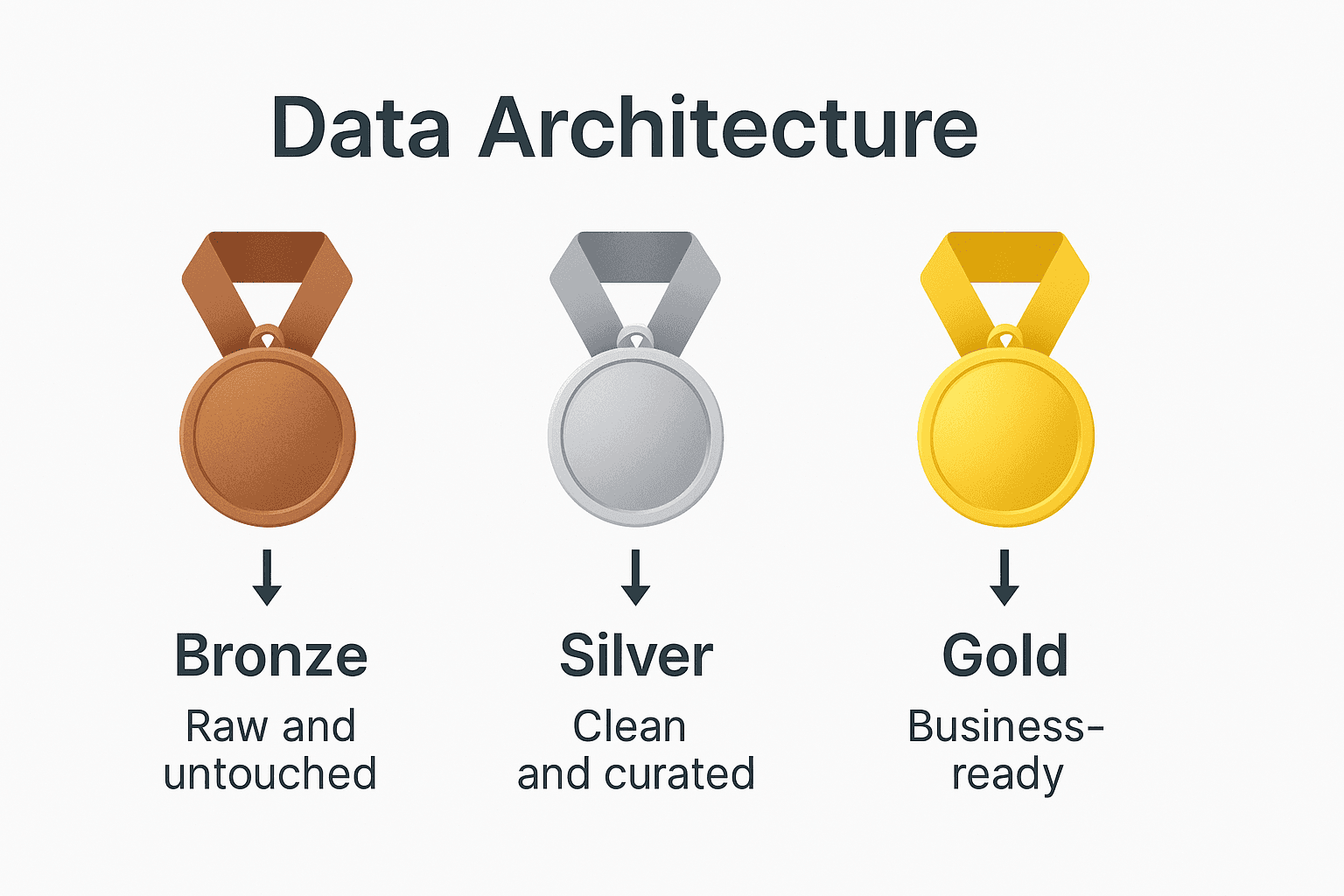
7️⃣ BRONZE → SILVER → GOLD (INDUSTRY STANDARD)
🟤 Bronze (RAW)
- As-is data
- Minimal parsing
- Corrupt rows captured
⚪ Silver (CLEAN)
- Typed
- Deduplicated
- Validated
🟡 Gold (BUSINESS)
- Aggregated
- Modeled
- KPI-ready
⚠️ Golden Rule
Never skip layers to “save time”
8️⃣ REFERENTIAL INTEGRITY (OFTEN IGNORED)
Example:
- Orders → Users
invalid_orders = orders_df.join(users_df, "user_id", "left_anti")
✔ Catch orphan records
✔ Prevent wrong metrics
9️⃣ DATA QUALITY METRICS (MANDATORY IN PROD)
Track:
- Row counts
- Null percentages
- Duplicate counts
- Reject rates
- Schema drift events
Store in:
- Logs
- Audit tables
- CloudWatch (AWS later)
10️⃣ COMMON DATA CLEANING FAILURES
| Symptom | Root Cause |
|---|---|
| Counts mismatch | Dedup order |
| Sudden NULL spikes | Schema drift |
| Wrong joins | Type mismatch |
| Silent data loss | dropna misuse |
🔥 DAY 3B PRODUCTION RULEBOOK
- Normalize NULLs explicitly
- Never rely on implicit casts
- Deduplicate with business logic
- Separate valid vs invalid data
- Enforce schema early
- Log every violation
🎯 DAY 3B INTERVIEW DESTROYERS
- How do you deduplicate late-arriving data?
- Why
cast()can corrupt data silently? - How to detect schema drift?
- Why Bronze/Silver/Gold is needed?
- How to enforce referential integrity in Spark?
- Why data validation ≠ transformation?
✅ DAY 3B COMPLETION CHECK
✔ Null handling strategies
✔ Safe casting patterns
✔ Deduplication mastered
✔ Schema enforcement clear
✔ Enterprise data quality mindset
🔜 NEXT → DAY 3C: WRITING DATA, FILE LAYOUT & COMMIT PROTOCOLS (AWS-CRITICAL)
We will cover (NO SKIPPING):
- write modes (append/overwrite)
- partitioned writes
- small file creation
- S3 committers
- idempotent writes
- exactly-once patterns
Say “Start Day 3C”
You are now operating at production-grade Spark engineering level 🔥


📅 DAY 3C — WRITING DATA, FILE LAYOUT & COMMIT PROTOCOLS (AWS-CRITICAL / PhD DEPTH)
This day explains why data writes fail, duplicate, corrupt, or explode into millions of files,
and how Spark actually commits output—especially on S3.
Engine context: Apache Spark
🧠 CORE LAW (BURN THIS IN)
Writing data is harder than reading data.
Most production outages happen at write time, not compute time.
1️⃣ WRITE MODES — EXACT SEMANTICS (NO ASSUMPTIONS)
Spark write modes control what happens if data already exists.
1.1 Append
df.write.mode("append").parquet(path)
- Adds new files
- Never deletes old data
- Safe for incremental loads
⚠️ Trap:
Append + reruns = duplicates
1.2 Overwrite
df.write.mode("overwrite").parquet(path)
Two behaviors (VERY IMPORTANT):
Static overwrite (default)
- Deletes entire output directory
- Writes new data
- Dangerous for partitioned tables
Dynamic partition overwrite
spark.conf.set("spark.sql.sources.partitionOverwriteMode","dynamic")
- Only overwrites affected partitions
- Required for safe incremental pipelines
1.3 ErrorIfExists
.mode("error")
- Fails job if path exists
- Rarely used, but safest for one-time loads
1.4 Ignore
.mode("ignore")
- Skips write if data exists
- Dangerous (silent no-op)
2️⃣ PARTITIONED WRITES — PHYSICAL FILE LAYOUT
df.write.partitionBy("date","country").parquet(path)
Creates:
/date=2026-01-01/country=IN/part-*.parquet
/date=2026-01-02/country=US/part-*.parquet
Key Facts
- Partitions = directories
- Files inside partitions = tasks
- More partitions → more directories
- More tasks → more files
⚠️ Interview Trap
Partition count ≠ file count
3️⃣ SMALL FILE PROBLEM (WRITE-TIME ROOT CAUSE)
Why it happens
- Too many partitions
- Too many tasks
- Streaming micro-batches
- Repartition misuse
Symptoms
- Slow downstream reads
- Driver overwhelmed
- S3 LIST calls explode
- Query planning slow
3.1 How Spark Decides Number of Output Files
One task = one output file (per partition)
So:
num_output_files ≈ num_tasks
3.2 Controlling File Size (CORRECT WAY)
Reduce partitions BEFORE write
df.repartition(50).write.parquet(path)
or (safer after filtering):
df.coalesce(50).write.parquet(path)
⚠️ Trap:
repartition AFTER partitionBy = still many files
4️⃣ WRITE PATH — INTERNAL EXECUTION FLOW
When Spark writes data:
- Tasks compute output rows
- Data buffered in executor memory
- Spill to disk if needed
- Write to temporary location
- Commit protocol finalizes output
Failure anywhere → retries / partial output
5️⃣ COMMIT PROTOCOLS — WHY THIS MATTERS ON AWS S3
5.1 HDFS vs S3 (CRITICAL DIFFERENCE)
| Feature | HDFS | S3 |
|---|---|---|
| Rename | Atomic | Copy + delete |
| Directories | Real | Logical |
| Consistency | Strong | Eventual |
Spark was designed for HDFS, not S3.
5.2 Default Spark Commit Protocol (PROBLEMATIC)
Traditional behavior:
- Write to
_temporary - Rename to final path
On S3:
- Rename = slow copy
- Failures cause:
- Duplicate files
- Orphan temp files
- Partial commits
6️⃣ S3 COMMITTERS (AWS-MANDATORY KNOWLEDGE)
6.1 S3A Committers
Spark supports:
- FileOutputCommitter (bad)
- Magic Committer
- Directory Committer
Recommended:
spark.hadoop.fs.s3a.committer.name=directory
6.2 What Committers Fix
✔ Exactly-once semantics
✔ No rename storms
✔ Safe task retries
✔ Faster writes
⚠️ Without this:
Reruns = duplicate data guaranteed
7️⃣ IDMPOTENT WRITES (PRODUCTION REQUIREMENT)
Definition
Running the same job twice produces same output, not duplicates.
7.1 Idempotent Patterns
Pattern 1 — Partition overwrite
- Use dynamic overwrite
- Recompute exact partition
Pattern 2 — Staging + swap
- Write to temp path
- Validate
- Atomically update pointer (Glue/Hive metastore)
Pattern 3 — Merge logic
- Deduplicate on keys
- Use window functions
8️⃣ EXACTLY-ONCE vs AT-LEAST-ONCE (REALITY)
Spark batch jobs are:
- At-least-once by default
Exactly-once requires:
- Deterministic input
- Idempotent output
- Correct commit protocol
9️⃣ COMMON WRITE FAILURES (REAL WORLD)
| Symptom | Root Cause |
|---|---|
| Duplicate data | Append + retry |
| Missing partitions | Static overwrite |
| Millions of files | Too many tasks |
| Partial output | Commit failure |
| Job slow at end | Rename on S3 |
🔥 WRITE-TIME BEST PRACTICE (NO SHORTCUTS)
- Decide write mode explicitly
- Control partitions before write
- Use dynamic overwrite for S3
- Enable S3 committers
- Design idempotent pipelines
- Validate after write (counts, partitions)
- Clean temp files periodically
🎯 DAY 3C INTERVIEW DESTROYERS
- Why overwrite can delete more data than expected?
- Why Spark writes many small files?
- How does Spark commit data on S3?
- Why S3 rename is dangerous?
- How to make Spark writes idempotent?
- Exactly-once vs at-least-once in Spark batch?
✅ DAY 3C COMPLETION CHECK
✔ Write modes fully understood
✔ Partitioned layout mastered
✔ Small file root causes known
✔ S3 commit protocol explained
✔ Idempotent design patterns clear
🔜 NEXT → DAY 4A: DATAFRAME TRANSFORMATIONS (EVERY OPERATION, EDGE CASES, INTERNALS)
We will cover:
- select vs withColumn internals
- column expressions
- explode / posexplode
- regex, JSON functions
- window functions (deep)
- expression pushdown
- common transformation bugs
Say “Start Day 4A”
You are now firmly in elite Spark engineer territory 🧠🔥


📅 DAY 4A — DATAFRAME TRANSFORMATIONS (EVERY OPERATION, EDGE CASES, INTERNALS)
This day explains what really happens when you transform DataFrames,
why some “simple” ops explode runtime, and
how Catalyst rewrites your code under the hood.
Engine context: Apache Spark
🧠 CORE LAW (LOCK THIS IN)
DataFrame code is declarative.
Spark decides how to execute it, not you.
Your job is to express intent clearly so Catalyst can optimize aggressively.
1️⃣ select() vs withColumn() — NOT JUST STYLE
1.1 select() (PROJECTION)
df.select("id", "amount", (col("amount") * 1.18).alias("amount_gst"))
- Builds a single projection
- Enables column pruning
- Fewer expression nodes
- Preferred for multiple column ops
1.2 withColumn() (COLUMN REWRITE)
df.withColumn("amount_gst", col("amount") * 1.18)
- Rewrites the entire row
- Chaining creates deep expression trees
- Can slow Catalyst optimization
⚠️ Interview Trap
Multiple
withColumn()chains are not “free”
1.3 Golden Rule
- Many columns →
select() - Single derived column →
withColumn()
2️⃣ COLUMN EXPRESSIONS — HOW THEY EXECUTE
Spark expressions are:
- Immutable
- Lazily evaluated
- JVM-compiled (codegen)
Example
df.select(
  when(col("age") < 18, "minor")
  .when(col("age") < 65, "adult")
  .otherwise("senior")
)
Catalyst:
- Converts to expression tree
- Pushes predicates
- Generates bytecode
3️⃣ FILTER vs WHERE — SAME, BUT CONTEXT MATTERS
df.filter(col("age") > 30)
df.where("age > 30")
Both compile to same plan.
⚠️ Difference:
- String SQL can hide errors
- Column API catches at compile time (preferred)
4️⃣ EXPLODE / POSEXPLODE — CARDINALITY BOMBS
4.1 explode()
df.select(explode("items"))
- Converts 1 row → N rows
- Multiplies data size
- Triggers shuffle later
⚠️ Production Risk
explode before filter = data explosion
4.2 posexplode()
df.select(posexplode("items"))
Adds:
- Position index
- Useful for ordering
4.3 explode_outer()
- Preserves NULLs
- Prevents row loss
5️⃣ WORKING WITH STRUCTS, ARRAYS, MAPS
Access struct
df.select("user.address.city")
Array ops
size(col("items"))
array_contains(col("items"), "A")
Map ops
col("attrs")["key"]
⚠️ Interview Trap
Nested fields can still be predicate-pushed in Parquet
6️⃣ REGEX & STRING FUNCTIONS (COSTLY IF MISUSED)
Examples:
regexp_replace(col("email"), "@.*", "")
split(col("tags"), ",")
⚠️ Regex:
- CPU heavy
- Not vectorized
- Avoid inside joins
7️⃣ JSON FUNCTIONS (INLINE PARSING)
from_json(col("payload"), schema)
to_json(col("struct_col"))
get_json_object(col("json"), "$.a.b")
Best practice:
- Parse once
- Store structured columns
- Avoid repeated parsing
8️⃣ WINDOW FUNCTIONS — INTERNAL MECHANICS
8.1 Window Basics
from pyspark.sql.window import Window

w = Window.partitionBy("user").orderBy("ts")
Functions:
- row_number
- rank / dense_rank
- lag / lead
- sum / avg over window
8.2 Execution Reality
- Requires shuffle
- Requires sort
- Memory heavy
- Sensitive to skew
⚠️ Golden Rule
Window functions are among the most expensive ops
9️⃣ DISTINCT vs DROP DUPLICATES — NOT SAME COST
df.distinct()
df.dropDuplicates(["id"])
distinct()= full-row comparisondropDuplicates(keys)= key-based
Prefer key-based always.
10️⃣ ORDER BY vs SORT BY
orderBy
- Global sort
- Single reducer stage
- Expensive
sortWithinPartitions
- Local sort
- No global guarantee
- Much faster
1️⃣1️⃣ JOIN PREP — TRANSFORMATIONS THAT ENABLE FAST JOINS
Before join:
- Reduce columns
- Filter early
- Deduplicate
- Normalize types
After join:
- Avoid explode
- Avoid UDFs
12️⃣ CATALYST OPTIMIZATION (WHAT IT CAN & CANNOT DO)
Catalyst CAN:
- Reorder filters
- Push predicates
- Prune columns
- Fold constants
- Choose join strategies
Catalyst CANNOT:
- Optimize Python UDFs
- Fix skewed keys
- Understand business semantics
13️⃣ TRANSFORMATION ANTI-PATTERNS (STOP THESE)
❌ Chained withColumn (10+)
❌ explode before filter
❌ Regex inside joins
❌ Window on raw data
❌ distinct instead of dropDuplicates
❌ SQL strings everywhere
🔥 DAY 4A PRODUCTION CHECKLIST
- Project only needed columns
- Filter as early as possible
- Prefer select over withColumn chains
- Avoid explode until necessary
- Treat window functions as heavy ops
- Trust Catalyst—but don’t abuse it
🎯 DAY 4A INTERVIEW DESTROYERS
- Why select is often faster than withColumn?
- Why explode can kill performance?
- How Catalyst optimizes DataFrame code?
- Why window functions are expensive?
- distinct vs dropDuplicates cost difference?
- orderBy vs sortWithinPartitions?
✅ DAY 4A COMPLETION CHECK
✔ Transformation internals understood
✔ Expression behavior clear
✔ High-cost ops identified
✔ Catalyst optimization boundaries known
🔜 NEXT → DAY 4B: JOINS (ALL TYPES, STRATEGIES, INTERNAL PLANS, SKEW FIXES)
We will cover:
- All join types
- Join algorithms
- Broadcast vs shuffle joins
- Join hints
- Skewed joins
- Join-related OOMs
Say “Start Day 4B”
You’re now thinking like a query planner, not just a coder 🧠🔥