
Excellent.
DAY 25 is where Python meets the real world: disks, OS buffers, encodings, and performance tradeoffs. Many production bugs live here.
🧠 DAY 25 — Files, I/O & OS Interaction
(Buffering, Text vs Binary, Context Managers & Pitfalls)
🔑 CORE IDEA OF DAY 25
File I/O is buffered, stateful, and encoding-sensitive.
Correctness and performance depend on understanding these layers.
1️⃣ The I/O Stack (From Python to Disk)


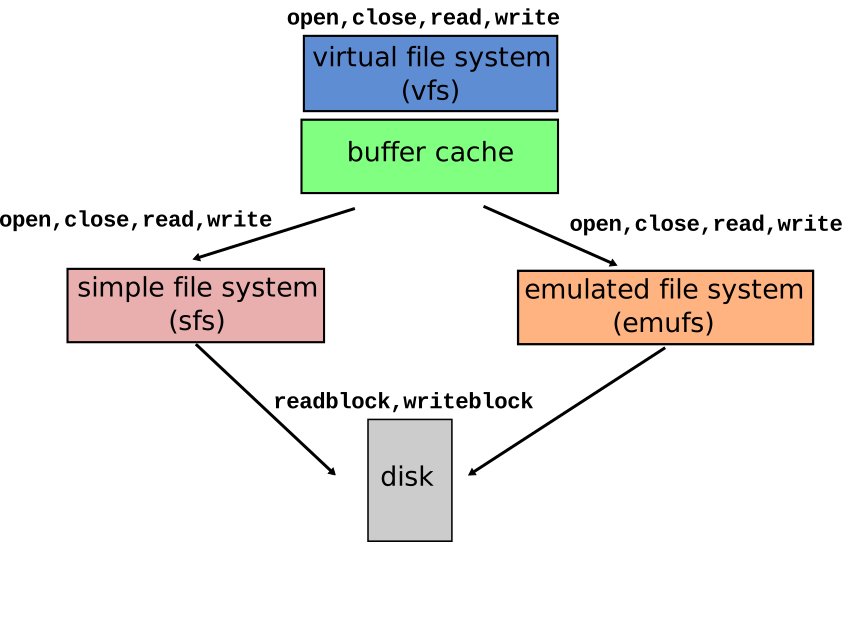

Your Code
  ↓
Python IO Objects (TextIO / BufferedIO)
  ↓
OS Kernel Buffers
  ↓
Filesystem
  ↓
Disk
Key takeaway: writes don’t hit disk immediately.
2️⃣ open() — What You Really Get
f = open("data.txt", "r")
- Returns a file object
- File object wraps OS file descriptor
- Mode controls behavior
Common modes
| Mode | Meaning |
|---|---|
"r" | read (text) |
"w" | write (truncate) |
"a" | append |
"rb" | read (binary) |
"wb" | write (binary) |
3️⃣ Text vs Binary Mode (CRITICAL)
Text mode
open("file.txt", "r", encoding="utf-8")
- Reads str
- Applies encoding/decoding
- Handles newline translation
Binary mode
open("file.bin", "rb")
- Reads bytes
- No encoding
- Exact data
🧠 Text is a view over bytes.
4️⃣ Encoding & Decoding (Common Failure Point)
text = "नमस्ते"
data = text.encode("utf-8")   # str → bytes
text2 = data.decode("utf-8")  # bytes → str
Rules:
- Decode once at boundaries
- Don’t mix encodings
- Always specify encoding in production
🚨 Relying on default encoding causes bugs across machines.
5️⃣ Buffering: Why write() Doesn’t Write
f.write("hello")
This writes to:
- Python buffer
- OS buffer
Not necessarily disk.
Flush points
- Buffer full
f.flush()f.close()- Program exit (not guaranteed on crash)
Use:
f.flush()
for critical writes.
6️⃣ Line-by-Line vs Chunked Reading
Line-by-line (good for text)
for line in f:
    process(line)
- Lazy
- Memory efficient
- Uses internal buffering
Chunked (good for binary)
while chunk := f.read(8192):
    process(chunk)
Avoid:
f.read() # loads entire file into memory
unless file is small.
7️⃣ Context Managers Are NOT Optional
❌ Bad:
f = open("x.txt")
data = f.read()
# forgot close
✅ Good:
with open("x.txt") as f:
    data = f.read()
Why:
- Guarantees close
- Handles exceptions
- Frees OS resources
🧠 File handles are finite OS resources.
8️⃣ Appending vs Writing (Subtle Difference)
open("f.txt", "w")  # truncates
open("f.txt", "a")  # appends
Append mode:
- Always writes at end
- Even if you
seek()
9️⃣ File Pointer & seek() / tell()
f.tell()        # current position
f.seek(0)       # move to beginning
Binary-safe:
f.seek(0, 2) # move to end
Text files:
seek()behavior may be limited- Due to variable-width encodings
🔟 Common I/O Pitfalls (🔥 Interview Favorites)
Pitfall 1: Assuming write == disk
f.write("data")
# crash → data lost
Pitfall 2: Encoding mismatch
open("file.txt") # default encoding differs per OS
Pitfall 3: Reading huge files at once
data = f.read() # memory spike
11️⃣ Atomic File Writes (Production Pattern)
Avoid partial writes:
import os, tempfile

with tempfile.NamedTemporaryFile(delete=False) as tmp:
    tmp.write(data)

os.replace(tmp.name, "final.txt")
Ensures:
- Either old file or new file exists
- Never a half-written file
12️⃣ File I/O Performance Tips
- Prefer buffered reads
- Avoid frequent small writes
- Batch writes
- Use binary mode for large data
- Let OS buffering work for you
🔥 INTERVIEW TRAPS (DAY 25)
Q1
Why with open() is safer than manual close?
✔ Ensures close on exception
✔ Deterministic cleanup
Q2
Difference between text and binary mode?
✔ Encoding
✔ Newline handling
✔ Data type (str vs bytes)
Q3
Why writes may “disappear” after crash?
✔ Buffered
✔ Not flushed to disk
🧠 DAY 25 MENTAL CHECKLIST
Before doing file I/O:
- Text or binary?
- Encoding specified?
- Large or small file?
- Buffered or immediate write?
- Using context manager?
📝 DAY 25 ASSIGNMENT (MANDATORY)
1️⃣ Predict behavior (NO RUNNING):
f = open("x.txt", "w")
f.write("hello")
# program crashes here
Will "hello" be in the file? Why/why not?
2️⃣ Rewrite safely:
f = open("data.txt")
data = f.read()
3️⃣ Design question:
How would you process a 100GB log file to extract error lines efficiently in Python?
(Hint: generators + buffered I/O)
🔜 DAY 26 PREVIEW
DAY 26 — Concurrency Model
(GIL, threading vs multiprocessing vs asyncio)
You’ll finally understand:
- Why Python threads don’t scale CPU
- When threads DO help
- How asyncio actually works
- How to choose the right concurrency model
When ready, say 👉 “START DAY 26”